Psychometric tests for pilots
Psychometric tests: tracking your progress by class
By ForAllPilots · Published · 4 min read
Reviewed and approved by the site's editor before publication. Our method (FR)
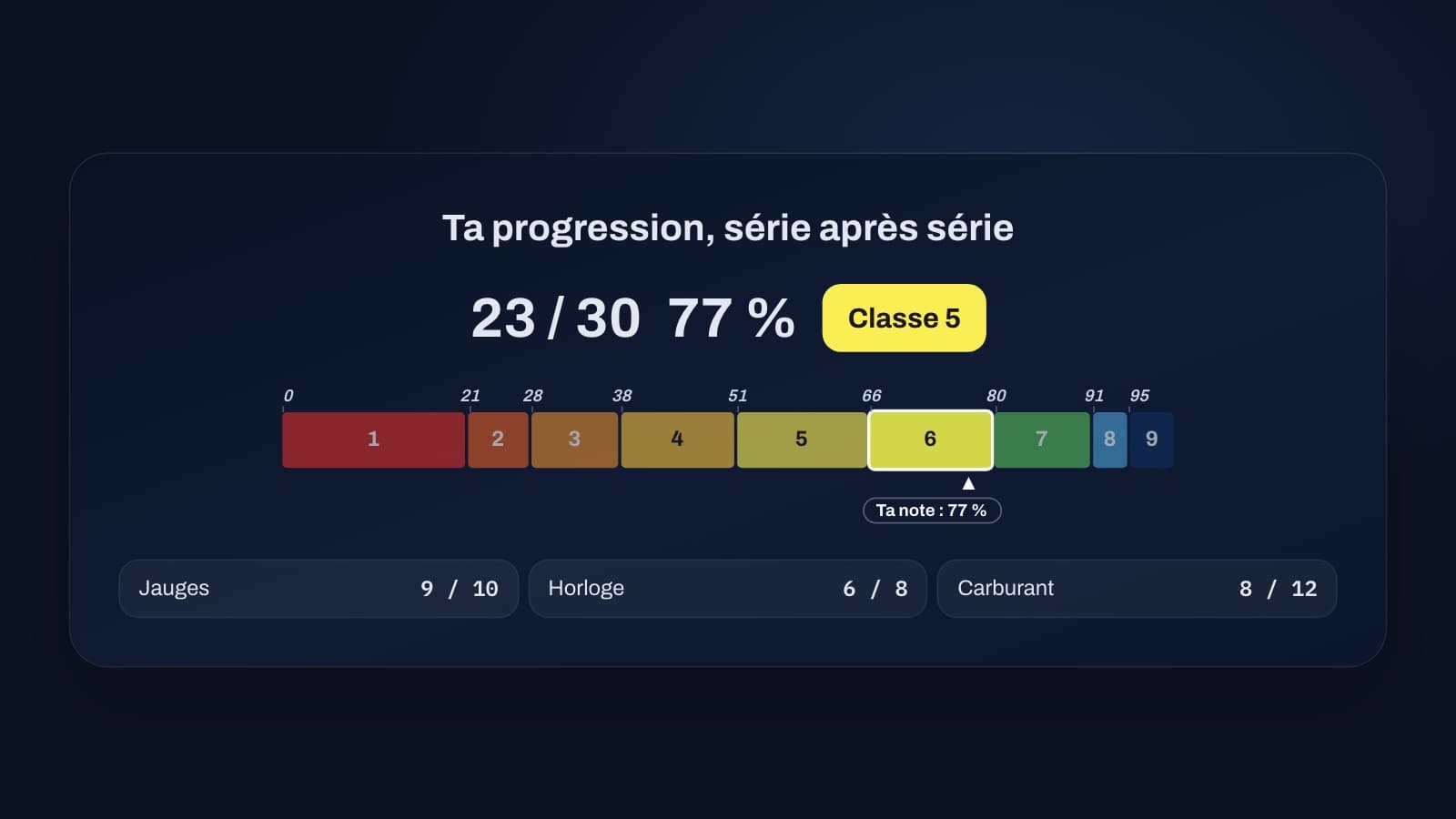
Training without measuring means flying blind; measuring without understanding means holding the wrong heading. On ForAllPilots, psychometric test results are shown as a percentage, as classes from 1 to 9 for exercises that have a scoring scale, and as a trend. Here is how to draw useful information from your sets, and what you should never conclude from them.
Percentage and class: two ways of saying the same thing
Your percentage score summarises your set: for most exercises, it is the share of correct answers. The class, from 1 to 9, places that percentage on a scale specific to each exercise. It exists only for exercises that have a scoring scale, such as multitask, angles, Tangram, EFG or gauges; the others show the percentage alone. The multitask, angles, Tangram, mental math, EFG, gauges and n-back exercises are currently available in French only on forallpilots.fr. Each exercise has its own thresholds: the same 70% earns class 4 in multitask and class 6 in gauges. Compare your classes from one set to the next within the same exercise, rather than from one exercise to another.
This scale belongs to this training tool: it does not predict the score you would get in a selection process. Use it to measure your progress, not to promise yourself a result.
One set is not enough: look at the average
A single result depends on fatigue, concentration and the luck of the questions drawn. Three to five sets give a far more reliable picture. On the "My statistics" page, look at your best class (your best result), your average class (your usual level) and the gap between the two: a wide gap points to inconsistency that needs work. For an exercise without a scoring scale, the best score and the average score, as percentages, play that role. A curve shows how your last thirty sets have progressed.
The trend compares the average of your last three sets with that of the three sets before them, in the same mode of the exercise. It is shown next to your latest class (or your latest score) and only appears once you have completed five sets. If it rises, your method seems to be paying off. If it stagnates despite regular sessions, change your strategy rather than repeating the same one.
The breakdown by part: knowing what to work on
An overall result hides differences. In the EFG test, shapes, words and numbers are not alike; in angles, the three levels do not call for the same reflexes; in mental math, four distinct tasks follow one another. For exercises that have parts, the breakdown by part adds up all your completed sets and shows where you are really losing points.
Then concentrate your sessions on your weakest part, when the exercise allows it: EFG can also be practised one type at a time (shapes, words or numbers) and mental math one task at a time, with separate statistics for each of these modes. You have more to gain this way than by redoing the whole exercise to repeat what you already get right. In angles, a set always has 30 questions in three levels of ten: use the breakdown to spot the level that costs you most, and leave the "Show corrections" option on to understand your mistakes.
Interrupted sets do not count
Sometimes you stop a set, because you are disturbed or feel it is not going well. On ForAllPilots, the "Stop" button asks what you want to do: continue the test, leave without saving anything, or see your results based on what you have already done. In the latter case, the set is kept in your history as interrupted and does not count in your statistics, so as not to distort your average. The statistics only show how many interrupted sets were left out.
This rule is sound: a statistic is only useful if it compares complete sets, done under the same conditions.
Where your results are stored
Your history, your classes and your statistics are saved on your device, in your browser: they do not sync between devices and are not sent to a server, with one exception, explained below. If you change phone, computer or browser, you start again from zero, and clearing the site data in your browser deletes the history. The "My statistics" page also has a button to erase it yourself.
The exception is the personalised tip. It is written only if you ask for it, from "Your results on this test" on the exercise page, and it requires the ATPL subscription, like the exercises. To write it, the numerical summary of your latest completed set (the exercise, the mode, the score, the duration and the result by part, with no name, no email address and no detailed answers) is sent to our server and then to an external provider. The tip is written automatically: it is neither an examiner's opinion nor a prediction of your result, and it may contain errors.
The psychometric tests are included with the ATPL subscription; their statistics build up as you complete sets. These are training exercises, not official tests: they measure neither your medical fitness nor your level as a pilot, and they do not reproduce the test of any school or airline.